Ergonomic Accessories for Remote Workers: 2026 Guide
The best ergonomic accessories for remote workers come down to six core items: an external mouse, a laptop stand, a supportive office chair, task lighting, wrist supports, and a footrest. Get these right and your body stops fighting your workday.
- External mouse: An external mouse is the single most important accessory for anyone on a laptop more than 20 minutes, followed closely by a laptop stand to bring the screen to eye level.
- Laptop stand or riser: Raises your screen so your neck stays neutral instead of craning forward all afternoon.
- Supportive office chair: The foundation of everything. Without lumbar support, no other accessory fully compensates.
- Task lighting: Reduces eye strain and keeps your focus sharp by cutting glare and shadows.
- Footrest: Keeps your feet flat and your knees at roughly 90 degrees when your chair height doesn’t quite match your desk.
- Wrist supports: Maintain a neutral wrist angle during long typing and clicking sessions to prevent repetitive strain.
- Regular breaks: Step away regularly to stretch and reset your posture. Skipping this undoes everything else.
What are the best ergonomic accessories for remote workers?
Your home office setup doesn’t need to be expensive to work well. It needs to fit your body, not the other way around. Here’s what each key accessory actually does for you.
Ergonomic mouse and keyboard. A standard mouse forces your wrist into an awkward, palm-down position for hours. Wrist rests and ergonomic mousepads help maintain neutral wrist angles, preventing repetitive strain injuries during long sessions. Vertical mice keep your forearm in a natural handshake position, and split ergonomic keyboards let both hands rest without twisting inward. If wrist pain is your biggest complaint, these two tools address it directly.
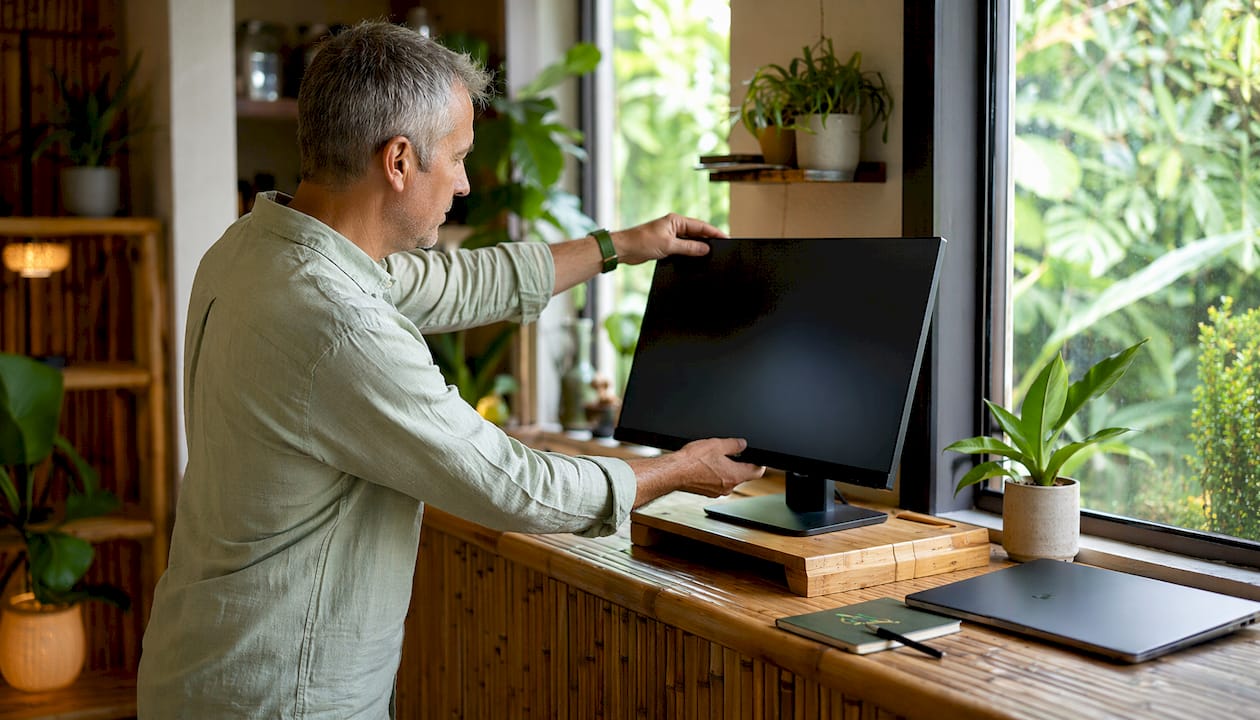
Monitor positioning. Your screen should sit with the top edge at or just below eye level, positioned 20–40 inches from your face. An adjustable monitor arm makes this effortless and frees up desk space. No monitor arm? A laptop stand paired with an external keyboard and mouse gives you the same result. Books, sturdy boxes, or reams of paper work as DIY monitor risers when you’re not ready to spend money yet.
Office chair and lumbar support. Starting with a high-quality office chair gives your back the foundation it needs before you invest in anything else. If your chair lacks lumbar support, a rolled-up towel or a small pillow placed at the curve of your lower back works surprisingly well. The goal is keeping your spine’s natural “S” curve supported, not flattened against a hard backrest.
Task lighting. Task lighting reduces eye strain and improves productivity by minimizing glare and shadows in your home office. Adjustable desk lamps and monitor-mounted lights give you direct control over intensity and position. Place your screen sideways to a window rather than facing it, and add a desk lamp rather than cranking up harsh overhead lights.
Footrests and anti-fatigue mats. When your chair is set to the right height, your feet sometimes don’t reach the floor comfortably. A footrest fixes that, keeping your knees at 90 degrees and improving circulation. A sturdy box works just as well as a purchased footrest. Anti-fatigue mats add value if you’re alternating between sitting and standing.
Wrist rests and ergonomic mousepads. These keep your wrists from bending up or down while you type and click. Gel-filled and memory foam options from brands like 3M and Fellowes are widely available and affordable.
Pro Tip: Before buying anything, look around your home. A hardcover book under your laptop, a rolled towel behind your lower back, and a shoebox as a footrest can replicate most ergonomic tools for free. Test the positions first, then invest in the real thing.
How should you prioritize ergonomic accessory investments?
Not everyone needs every accessory at once. The smartest approach is to prioritize based on where you feel the most pain and work outward from there.
- Wrist or hand pain first: Start with an ergonomic mouse and a wrist rest before anything else.
- Neck or shoulder pain first: A laptop stand and external keyboard will make the biggest difference fastest.
- Back pain first: A supportive chair or a lumbar cushion is your starting point, full stop.
- Eye fatigue first: Task lighting and proper monitor positioning address this directly.
- Budget is tight: Use household items temporarily. Books, towels, and boxes cover the basics while you save for the real upgrades.
The ergonomic setup on a budget approach works well: start with a good chair, improvise the rest, and add accessories gradually as your budget allows. Many ergonomic items also qualify for HSA/FSA reimbursement, which cuts the out-of-pocket cost significantly. You can find more detail on selecting the right tools in Habitposture’s guide to ergonomic office equipment benefits.
How do you build lasting ergonomic habits for remote work?
Accessories set the stage, but habits keep your body healthy over the long run. The gear only works if you actually use it correctly and consistently.
- Take breaks every 30–60 minutes. Regular breaks prevent repetitive strain injuries and reset your posture. Stand up, stretch your chest, roll your shoulders, and tilt your neck side to side.
- Rotate between sitting and standing. Sit-stand desks and converters reduce sedentary time and support posture variation, which leads to better energy and less back pain throughout the day.
- Check your posture actively. Your shoulders will roll forward without you noticing. A quick scan every hour catches it before it becomes a habit.
- Organize your workspace to reduce reach. Keep your mouse, keyboard, and phone within easy reach so you’re not twisting or stretching repeatedly.
- Use posture reminders. A phone alarm, a sticky note on your monitor, or a posture support tool from Habitposture can cue you to reset before the ache sets in.
Habitposture’s core philosophy applies here directly: posture is a habit, not a one-time fix. The accessories support your body, but the habit is what makes the difference over months and years. Good task lighting design in your workspace also plays a role in keeping you alert and comfortable during long sessions.
Pro Tip: Set a recurring timer for every 45 minutes. When it goes off, stand up, take three deep breaths, and roll your shoulders back. It takes 20 seconds and resets your posture better than any accessory alone.
Key Takeaways
The most effective ergonomic setup for remote workers combines the right accessories with consistent posture habits, starting with a supportive chair and an external mouse.
| Point | Details |
|---|---|
| Start with the chair | A supportive office chair with lumbar support is the foundation before any other accessory. |
| External mouse first for laptops | An external mouse is the single most important accessory for laptop users working more than 20 minutes. |
| Match accessories to pain points | Prioritize wrist tools for hand pain, a laptop stand for neck strain, and task lighting for eye fatigue. |
| DIY solutions work | Books, towels, and sturdy boxes replicate most ergonomic tools while you build your setup gradually. |
| Breaks every 30–60 minutes | Regular movement breaks prevent repetitive strain injuries and reset posture throughout the day. |