Cubicle Ergonomics Explained for Better Posture
What cubicle ergonomics actually does for your posture
Cubicle ergonomics is the practice of arranging your workstation to support proper posture and reduce discomfort during long periods of screen time. Get it right, and your body stops fighting your environment. Get it wrong, and that 2 PM neck ache becomes your daily normal.
The core principles are straightforward:
- Monitor distance and height: Mayo Clinic guidelines place the screen 20–40 inches from your eyes, with the top of the monitor at or slightly below eye level. Bifocal wearers should drop the screen an additional 1–2 inches.
- Seated posture angles: Elbows should sit at 90–110 degrees, wrists neutral and straight, and the keyboard centered so the “B” key aligns with your belly button.
- Foot and hip positioning: Thighs parallel to the floor, feet flat on the ground or a footrest, knees bent at roughly 90 degrees.
- Movement over stillness: Physical therapists are clear that static posture causes pain, even when that posture is technically correct. Blood flow and position changes matter more than holding a perfect angle.
- Sit-stand workstations: Clinical trials confirm height-adjustable desks reduce daily sitting time significantly compared to behavioral interventions alone.
Habitposture fits into this picture as a wearable layer on top of your physical setup. While furniture sets the stage, a wearable posture device keeps your body honest throughout the day, providing real-time feedback when your shoulders start to roll forward.
Table of Contents
- How to set up your cubicle workstation for effective posture support
- Why wearable posture devices belong in your cubicle setup
- Common misconceptions that undermine cubicle ergonomics
- Expert advice on building posture habits that actually stick
- Habitposture: wearable posture support built for screen time
- Key Takeaways
How to set up your cubicle workstation for effective posture support
A good ergonomic office setup follows a specific sequence. Skipping steps or starting with the monitor instead of the chair is where most people go wrong.
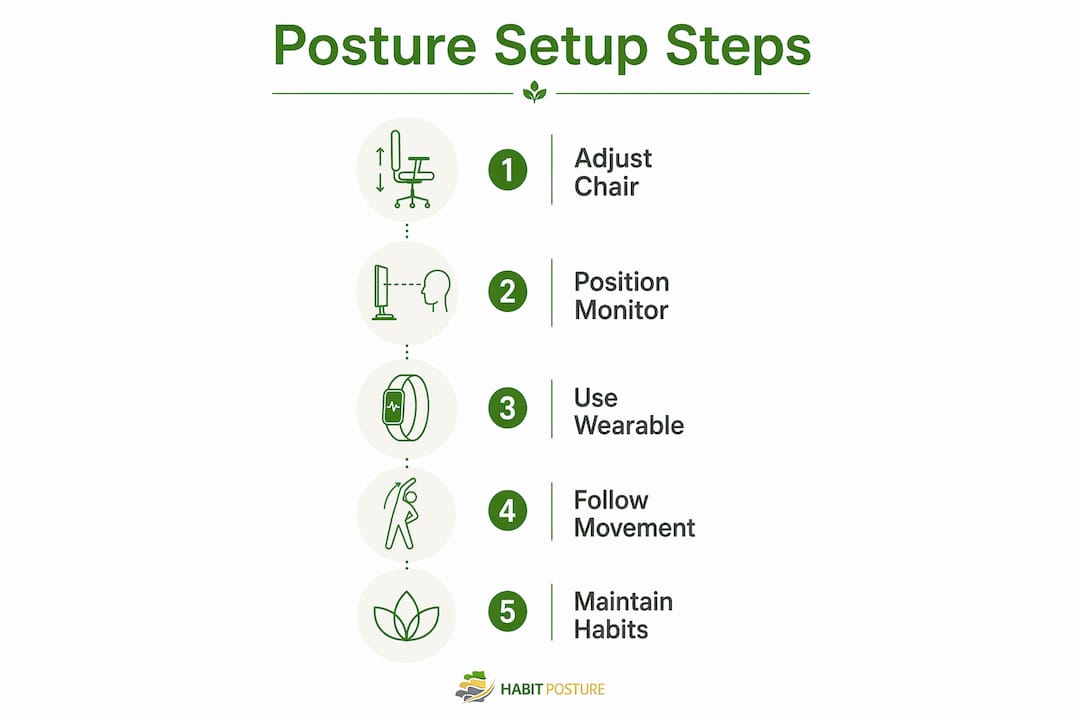
- Start with the chair: Adjust seat height so your feet rest flat and your thighs are parallel to the floor. Chair height is the foundation. Every other adjustment chases this one.
- Set desk height second: Bring the work surface to elbow level so your forearms stay relaxed without your shoulders lifting.
- Position keyboard and mouse: Keep both close enough that you are not reaching forward. Wrists stay neutral, not bent up or down.
- Place the monitor last: Once your seated posture is correct, position the screen 20–40 inches away with the top at or slightly below eye level.
- Add a footrest if needed: If your feet do not reach the floor after setting chair height correctly, a footrest keeps your thighs parallel and ankles at 90 degrees.
- Manage cables: Exposed cords steal knee space and discourage people from raising adjustable desks. Route cables cleanly so movement stays easy.
- Use a monitor arm: Monitor arms free up desk depth, improve screen positioning, and eliminate the improvised-riser problem common in cubicles.
Space is a real constraint. Dense cubicle layouts need sufficient square footage per workstation to allow proper movement and equipment placement. If your footprint is tighter than that, prioritize clearance behind your chair over storage.
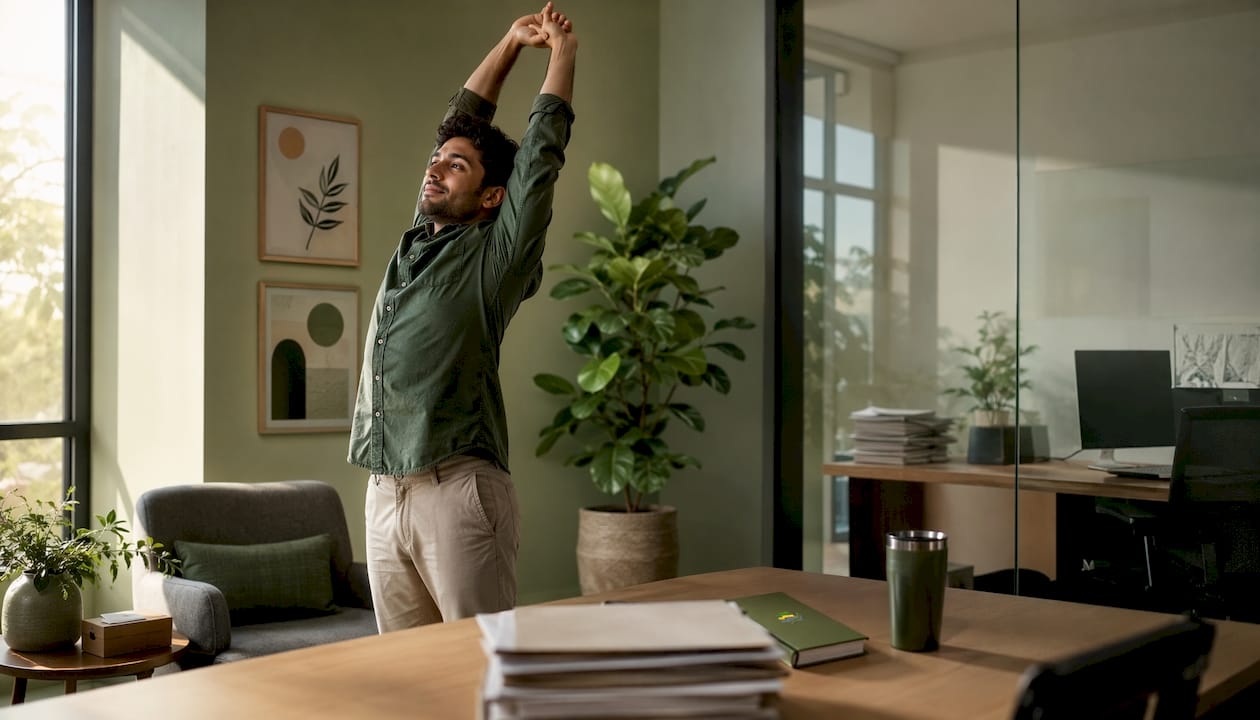
Pro Tip: Use the 20-8-2 rule. For every 30-minute work block, sit for 20 minutes, stand for 8, and move or stretch for 2. It is one of the simplest habits that keeps static posture from becoming a pain source.
Why wearable posture devices belong in your cubicle setup
Ergonomic furniture creates the right conditions. Wearable posture correction devices keep you in them. The two work together in a way that neither does alone.
- Types of wearable posture tech: Devices range from simple elastic braces that provide physical resistance when you slouch, to sensor-based wearables that vibrate or send app alerts when your posture drifts, to smart garments with embedded feedback systems.
- Real-time awareness: A wearable catches the moment your shoulders roll forward, before it becomes a habit you do not notice. Furniture cannot do that.
- Promoting movement: Many sensor-based devices track how long you have been in one position and prompt you to shift. That aligns directly with the movement-is-medicine principle physical therapists recommend.
- Reducing musculoskeletal strain: Consistent posture feedback over time retrains your body’s default position, reducing the cumulative strain that builds up across an 8-hour screen session.
- Habitposture’s approach: Habitposture is built for people who spend long hours at screens and need something that works without bulk or guilt. Slip it on, and your body starts relearning what good posture feels like, gradually and comfortably.
- Usage tips for cubicle environments: Start with shorter wear sessions of 1–2 hours and build up. Pair device use with your scheduled movement breaks. Keep the device charged and accessible at your workstation so it becomes part of your daily routine, not an afterthought.
The synergy is real. A well-adjusted chair and monitor reduce the physical effort of sitting correctly. A wearable device makes sure you actually do it, hour after hour.
Common misconceptions that undermine cubicle ergonomics
The biggest one: buying ergonomic furniture is enough. It is not. Workplace design experts consistently note that poor layouts and power placement undermine even the best ergonomic furniture. The chair and desk are tools. How you use them, and how your space is arranged, determines whether they help.
- The static posture fallacy: Even a perfectly adjusted workstation causes pain if you stay in one position all day. Movement is not optional.
- Space constraints: Tight cubicle footprints limit how far you can push a chair back, where a monitor arm can swing, and whether you can stand without bumping into a partition. Layout problems are planning problems, not furniture problems.
- Sit-stand desk reality: Real-world success with sit-stand workstations depends heavily on social habits, task types, and how easy the hardware is to use. A desk that takes effort to raise stays down.
- No single desk height works for all tasks: Adjustable surfaces exist because typing, reading, and screen viewing each require different heights for a neutral posture.
- Lack of training: A technically adjustable workstation that nobody adjusts correctly delivers the same discomfort as a fixed one. Users need practical instruction, not just access to the right equipment.
- Wearables fill the gap: When furniture and layout have limits, a wearable posture device provides the layer of support that physical environment alone cannot.
Ergonomics works best as a system. Furniture, space, habits, and wearable feedback all need to work together.
Expert advice on building posture habits that actually stick
Good posture is not a position you hold. It is a habit you build. Physical therapists are consistent on this: movement is medicine, and alternating positions every 30–45 minutes using timers is more effective than any single ergonomic product.
- Set reminders: A phone timer or desktop app that prompts you to shift position every 30–45 minutes removes the need to remember. Consistency beats intensity.
- Micro-movements count: Shoulder rolls, neck tilts, and standing for a phone call are all posture medicine. You do not need a full stretch routine to benefit.
- Integrate wearable feedback: Wearing a posture device during your most screen-heavy hours builds awareness faster than trying to self-monitor. Over time, the corrections become automatic.
- Ergonomic education matters: Knowing why chair height affects your lower back, or why monitor height affects your neck, makes you more likely to adjust your setup and keep it adjusted.
- Guilt-free approach: Habitposture’s philosophy is that posture improvement should feel supportive, not punishing. Missing a reminder or slouching during a stressful call is not failure. It is data. Adjust and keep going.
- Systems over willpower: Companies and individuals who build posture habits into their daily routines, rather than relying on motivation alone, see lasting results.
The goal is not perfection at any single moment. It is a body that defaults to better alignment over time, with less effort.
Habitposture: wearable posture support built for screen time
If you have spent time optimizing your cubicle setup and still feel your shoulders creeping forward by midafternoon, the missing piece is likely real-time feedback. Furniture sets your environment. Habitposture keeps your body honest within it.
Habitposture is designed for people who spend 8 or more hours at a screen, whether that is in a cubicle under fluorescent lights or on a couch between Zoom calls. No bulky braces. No lectures. Just a comfortable wearable that works while you work, gently retraining your posture through consistent, daily use. It fits the ergonomic workstation setup you have already built, adding the one thing furniture cannot provide: awareness in the moment your posture slips.
Ready to feel the difference? Visit habitposture.com and find the right fit for your workday.
Key Takeaways
Cubicle ergonomics works best as a system combining proper furniture setup, movement habits, and wearable posture feedback, not as isolated furniture adjustments.
| Point | Details |
|---|---|
| Monitor placement matters | Position your screen 20–40 inches away, with the top at or slightly below eye level. |
| Seated angles are specific | Elbows at 90–110 degrees, wrists neutral, keyboard centered on your belly button. |
| Movement beats stillness | Alternate positions every 30–45 minutes; static posture causes pain even in a perfect setup. |
| Space shapes your options | Cubicle layouts need 65–85 square feet per workstation for proper ergonomic equipment use. |
| Habitposture adds real-time feedback | A wearable posture device catches drift the moment it happens, reinforcing habits furniture cannot build. |